
You installed an ad blocker. Good move. No more pop-ups, no more autoplay video ads screaming at you, no more banner ads following you around like a lost puppy. You probably feel a little safer too — like you’ve quietly slipped out the back door while the internet’s advertising machine wasn’t looking.
Here’s the uncomfortable truth: it’s still watching. It just switched to a different pair of eyes.
Ad blockers are great at what they’re built for — blocking ads. But tracking and advertising aren’t actually the same thing, even though we tend to lump them together. Websites can (and do) keep tabs on you using methods that have nothing to do with the ad banners your blocker is nuking. Let’s talk about how.
1. Fingerprinting — The Tracker That Doesn’t Need Cookies
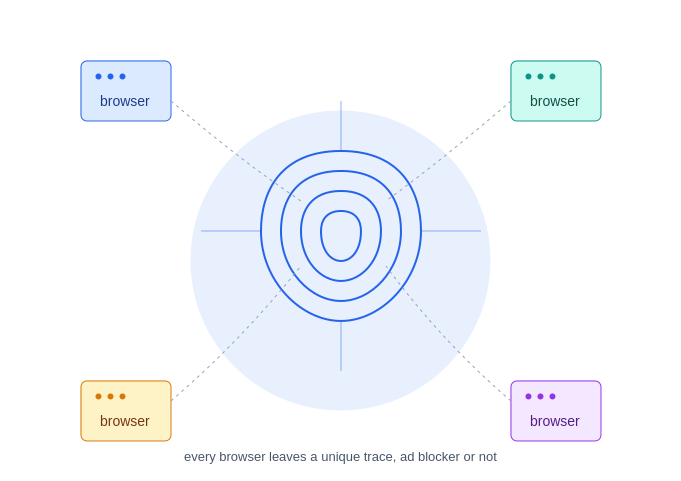
Cookies get all the attention, but browser fingerprinting is the quieter, sneakier cousin. Every browser leaks a surprising amount of detail about itself: your screen resolution, installed fonts, timezone, language settings, graphics card, even how your device renders a tiny invisible image or handles audio processing.
Individually, none of this means much. But combine 15-20 of these tiny details together, and you get something close to a unique fingerprint — one that can identify your device almost as reliably as a name tag, without ever touching a cookie. Ad blockers generally don’t stop this, because there’s no obvious “ad” to block. It’s just your browser answering normal technical questions, the way it’s supposed to.
2. First-Party Tracking Scripts
Most ad blockers work off blocklists — known ad networks, known trackers, known bad actors. But a lot of tracking today happens through scripts that load directly from the website’s own domain, not from some obvious third-party ad server.
This is called first-party tracking, and it’s become popular precisely because it slips past ad blockers. The website itself collects your behavior — what you click, how far you scroll, how long you linger — and either uses it internally or quietly forwards it to an analytics or advertising partner behind the scenes. Since it looks like normal website traffic instead of an ad request, most blockers wave it through.
3. Server-Side Tracking

This one’s almost invisible by design. Instead of loading a tracking script in your browser (which a blocker could catch), some companies now do the tracking on their own servers. Your data — page visits, purchases, interactions — gets sent from the website’s backend directly to the advertiser’s backend, browser to server, with your device barely involved.
Since there’s no visible script running on your end, there’s nothing for an ad blocker to detect or stop. It’s tracking that happens in a conversation you’re not even part of.
4. Login-Based Tracking
The moment you log into a service — Google, Facebook, Amazon, whatever — tracking gets a whole lot easier, ad blocker or not. These platforms don’t need cookies or fingerprinting tricks when you’ve voluntarily identified yourself. Every search, click, and purchase can be tied directly to your account, and that data often gets shared across a company’s other products.
This is why you’ll browse for hiking shoes on one site and mysteriously see hiking gear ads on a completely different app an hour later. No sneaky third-party ad script required — you handed over the connection yourself, just by logging in.
5. Email Tracking Pixels
Ever opened a marketing email and then noticed a suspiciously relevant ad a few hours later? That’s often a tracking pixel — a tiny, invisible 1×1 image embedded in the email. The moment your email client loads that image, it silently confirms you opened the email, records your approximate location, and sometimes even your device type. It happens entirely outside your browser, so your ad blocker has no idea it occurred.
So… Is There Anything You Can Actually Do?
Not a perfect fix, but a few things genuinely help:
- Use a browser built for privacy (Firefox with strict tracking protection, or Brave) — they fight fingerprinting more actively than blockers alone.
- Add a dedicated anti-tracking extension like Privacy Badger or uBlock Origin in advanced mode, which target tracking scripts specifically, not just ads.
- Log out when you don’t need to be logged in. It sounds inconvenient, but it cuts off one of the easiest tracking methods instantly.
- Disable image auto-loading in email, or use an email client that blocks tracking pixels by default.
- Use a VPN to at least mask your IP address and rough location from server-side tracking.
None of this makes you invisible. Realistically, nothing short of going off-grid does that. But it does mean you’re not leaving the door wide open just because the pop-ups stopped.
The Bottom Line
Ad blockers solve an annoyance. They were never designed to solve privacy. The two problems just happened to overlap for a while — ads used to be the main way trackers followed you around — but the tracking industry has quietly moved on to methods that don’t need an ad slot at all.
So the next time you close your ad blocker’s little “3 ads blocked” popup and feel good about it, remember: that number is about ads. It says nothing about how many trackers just quietly took notes anyway.