
The internet has become an important part of our everyday life. We use it for shopping, banking, social media, entertainment, education, and even storing important documents. But with so much personal information being shared online, protecting your data has become more important than ever.
Your name, phone number, email address, passwords, photographs, financial details, and browsing activity can all be valuable to cybercriminals. The good news is that you don’t need to be a cybersecurity expert to stay safer online. A few smart habits can make a big difference.
In this guide, we’ll discuss how to protect your personal data online and some simple steps everyone should follow.
What Is Personal Data?
Personal data is any information that can identify you or provide details about your personal life. Some common examples include:
- Your full name
- Phone number
- Email address
- Home address
- Passwords
- Bank and payment information
- Government identification details
- Photos and videos
- Location information
- Online account details
Some details may seem harmless by itself, but when different pieces of data are combined, they can reveal a lot about you.
Why Is Protecting Personal Data Important?
Personal information can be misused in several ways. Cybercriminals may use stolen information to access accounts, commit financial fraud, send targeted scams, or impersonate someone.
A weak password, an unsafe website, or a careless click on a suspicious link can sometimes give attackers an opportunity to access sensitive information.
That’s why online privacy and data security should be part of your everyday digital habits.
1. Use Strong and Unique Passwords
One of the easiest ways to protect your personal data online is to use strong passwords.
Avoid passwords based on easily guessed records such as your name, birthday, phone number, or simple words like “password123.”
Instead, create long and unique passwords using a combination of letters, numbers, and special characters.
Most importantly, don’t use the same password for every account. If one website suffers a data breach, attackers could try the leaked password on your other accounts.
A password manager can also help you create and safely store unique passwords.
2. Turn On Two-Factor Authentication
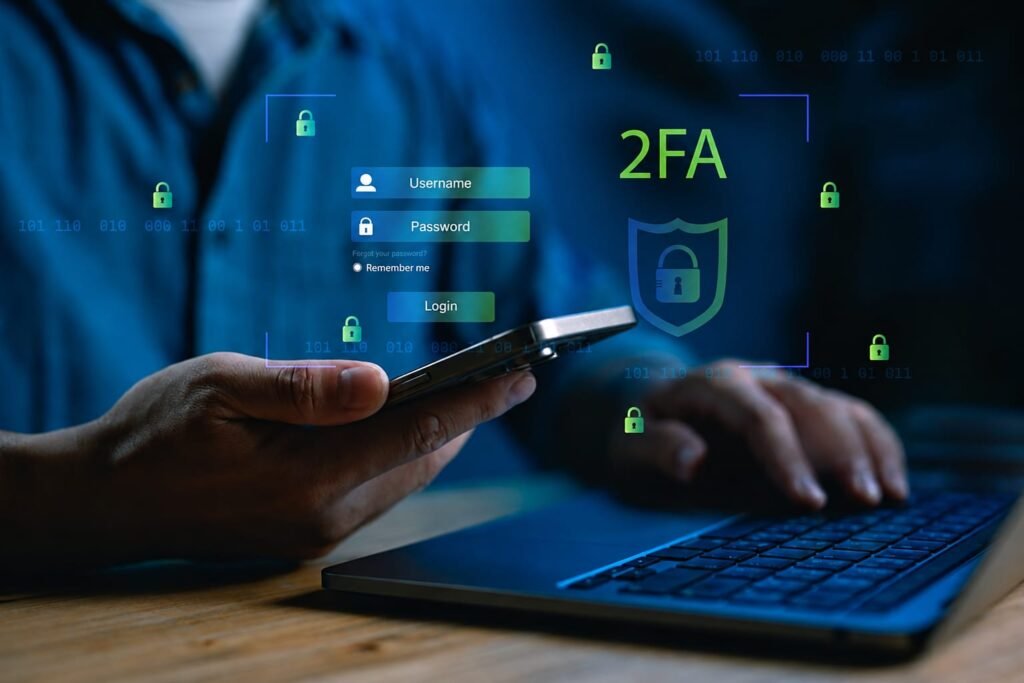
Passwords alone aren’t always enough to protect an account. That’s where two-factor authentication (2FA) can help.
With 2FA enabled, you usually need a second verification method after entering your password. This could be an authentication app, security key, or verification code.
Even if someone manages to obtain your password, the additional security layer can make it much harder for them to access your account.
Whenever an important service offers two-factor authentication, it’s worth enabling it.
3. Be Careful With Phishing Emails and Messages
Phishing is one of the most common ways criminals try to steal personal information.
A phishing message may pretend to come from a bank, delivery company, social media platform, workplace, or another trusted organization. It may ask you to click a link, verify your account, or provide sensitive information.
Before clicking a link, stop and check the message carefully.
Look for:
- Strange email addresses
- Spelling or grammar mistakes
- Urgent or threatening language
- Unexpected attachments
- Suspicious website addresses
- Requests for passwords or financial information
If a message seems unusual, don’t click immediately. Visit the organization’s official website directly instead.
4. Don’t Share Too Much on Social Media
Social media is a great way to connect with people, but oversharing can create privacy risks.
Avoid publicly posting sensitive details such as your home address, personal phone number, travel plans, identification documents, or details that could be used to answer security questions.
Also review your social media privacy settings regularly. Decide who can see your posts, profile information, photos, and contact details.
Remember: once something is posted online, completely removing it can be difficult.
5. Keep Your Devices and Apps Updated
Software updates aren’t only about adding new features. They often include security fixes for vulnerabilities that attackers could exploit.
Keep your:
- Smartphone
- Computer
- Web browser
- Operating system
- Mobile applications
- Security software
updated whenever possible.
If your device supports automatic updates, enabling them can make this process easier.
6. Be Careful When Using Public wi-fi
Public wi-fi at airports, cafes, hotels, or other places can be convenient, but you shouldn’t automatically assume that every public network is secure.
Avoid accessing highly sensitive accounts on unknown networks whenever possible. If you need to use public wi-fi, make sure your device’s security settings are enabled and use websites that have secure connections.
For particularly sensitive activities, using your mobile data or a trusted network may be a better option.
7. Check Website Security Before Entering Information
Before entering a password, payment information, or other sensitive data, check that you’re using the correct website.
Look at the website address carefully. Attackers sometimes create fake websites that look almost identical to legitimate ones.
A secure connection normally uses HTTPS, but HTTPS alone doesn’t prove that a website is legitimate. You should still check the domain name and make sure you reached the site through a trusted source.
8. Limit App Permissions
Many apps request access to information on your smartphone. Some permissions may be necessary for an app to work, while others may not be.
For example, a simple app may not need continuous access to your location, contacts, microphone, or camera.
Review your app permissions regularly and remove access that an app doesn’t genuinely need.
This simple habit can help improve your mobile privacy.
9. Be Careful About What You Download
Files, applications, browser extensions, and email attachments can sometimes contain malicious software.
Download applications from trusted sources and avoid suspicious websites offering pirated software, unknown tools, or files that seem too good to be true.
Before opening an unexpected attachment, verify who sent it and why.
10. Back Up Important Data
Data protection isn’t only about preventing theft. You should also prepare for situations where your files become unavailable because of accidental deletion, device failure, or malware.
Keep backups of important documents, photographs, and other valuable files.
You can use an external storage device, a trusted cloud service, or ideally a combination of backup methods.
Regular backups can make recovering from a security incident much easier.
11. Review Your Online Accounts Regularly
Over time, most people create accounts on websites they eventually stop using.
Old accounts can still contain personal information. Take some time to review the services you use and delete accounts you no longer need.
Also check account activity and security notifications for important services. If you notice something unusual, change your password immediately and review your security settings.
12. Think Before You Share Personal Information
One of the most effective ways to protect personal data is simply to share less of it.
Before entering your information into an online form, ask yourself:
Does this website really need this information?
If the answer is no, consider leaving the field blank when possible.
The less personal information you share online, the less information there is that could potentially be exposed or misused.
Common Online Privacy Mistakes to Avoid
Even people who understand cybersecurity can sometimes make simple mistakes. Try to avoid:
- Using the same password everywhere
- Clicking unknown links
- Downloading files from suspicious websites
- Sharing sensitive information publicly
- Ignoring software updates
- Giving unnecessary app permissions
- Leaving old online accounts active
- Using easily guessed passwords
- Sharing OTPs or verification codes with others
Small mistakes can sometimes create significant security problems.
Final Thoughts
Protecting your personal data online doesn’t require complicated technical knowledge. It starts with simple and consistent habits.
Use strong and unique passwords, enable two-factor authentication, keep your devices updated, be careful with suspicious messages, limit what you share on social media, and regularly review your privacy settings.
Most importantly, develop the habit of thinking before you click, download, or share.
The internet isn’t going away, and neither are online security risks. But by taking a few practical precautions, you can significantly improve your online privacy and keep your personal information safer.
Frequently Asked Questions
Q1. What is the best way to protect personal data online?
There isn’t one single solution. Using strong unique passwords, enabling two-factor authentication, keeping software updated, avoiding suspicious links, and limiting the personal information you share are some of the most effective steps.
Q2. Should I use the same password for different websites?
No. Using unique passwords for important accounts reduces the damage if one account’s password is exposed.
Q3. Is public Wi-Fi safe?
Public Wi-Fi can carry security risks, especially on unknown networks. Avoid using unfamiliar networks for highly sensitive activities whenever possible.
Q4. How can I protect my information on social media?
Review your privacy settings, avoid posting sensitive information, limit who can view your content, and be careful about accepting unknown connections.
Q5. Why is two-factor authentication important?
Two-factor authentication adds another security layer to your account. It can help protect your account even if your password is compromised.